Why Manufacturing Robot Icons Are Shaping the Future of Digital Design
Every pixel matters in modern visual communication. When you browse a sleek dashboard for a smart factory, flip through an industrial brochure, or scroll past an automation startup's social media post, the tiny graphical elements often go unnoticed — yet they do the heavy lifting. Manufacturing Robot Icons belong to that quiet army of design assets that transform complex ideas into instant understanding. A well-crafted robotic arm symbol can communicate automation, precision, and Industry 4.0 in less than a second. That is the power of a truly high-quality icon set built for versatility across platforms and media.
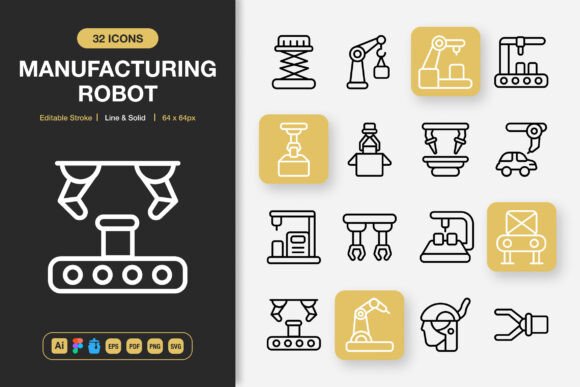
What makes a particular collection of manufacturing robot icons stand out is not just the subject matter, but how they are constructed. Designers no longer have the patience for rigid, single-style icon packs that force them into creative corners. They need flexibility, scalability, and technical robustness. When an icon set includes both line and solid styles, with editable strokes and formats ready for everything from Figma to Adobe Illustrator, it speaks directly to the real-world demands of production design. The difference between a generic icon and one engineered for professional output lies in the details — the pixel-perfect alignment, the carefully tuned stroke weights, and the transparency-ready PNGs at multiple resolutions.
The Unseen Engineering Behind Editable Stroke Icons
Not all icons are created equal. Drag a poorly built SVG into a design file and you might find paths that refuse to scale cleanly or strokes that balloon unpredictably when you adjust them. That is why the emphasis on editable stroke capabilities changes everything for a designer working with manufacturing robot icons. When you can toggle between a crisp 2px outline and a bolder 4px version without losing fidelity, you gain control over visual hierarchy without starting from scratch.
Consider a scenario: you are designing an explanatory infographic for an automotive assembly line. The header might call for solid, filled icons that anchor the layout with weight and presence. But the callout sections, packed with dense technical labels, might need line-style variants of the same manufacturing robot icons to keep the composition breathable. Having both styles within a single cohesive set means no awkward mismatches, no wasted hours hunting for complementary assets, and no compromises on visual consistency. The editable stroke feature also future-proofs your work — if brand guidelines shift toward thinner typography next quarter, your icons can adapt without a full redesign.
Why High Quality and Customization Are Non-Negotiable
The phrase "high quality" gets thrown around loosely in marketplaces, but in the context of manufacturing robot icons, it translates to concrete technical benchmarks. True high quality means paths are optimized, anchor points are deliberate rather than excessive, and the icons render identically across browsers, operating systems, and design software. It also means the artwork is crafted with semantic layering — robotic claws, conveyor belts, sensor arrays, and factory arms are grouped intelligently so designers can isolate, recolor, or repurpose individual components.
100% customizable is not just a checkbox — it is an invitation to brand alignment. A logistics company using warm orange as its primary color can recolor a robotic sorting icon in seconds. A medical device manufacturer might need sterile, cool blue versions of the same automation symbols. Without deep customization support, designers resort to workarounds that degrade quality. When the source files include well-organized Adobe Illustrator documents, Figma components, and Iconjar libraries, the customization process becomes intuitive rather than frustrating. You are not locked into a single aesthetic interpretation of what a manufacturing robot should look like.
From Wireframes to Billboards: One Icon Set, Countless Applications
The true test of any icon collection is how gracefully it moves between mediums. A set of manufacturing robot icons that performs beautifully on a mobile app interface at 32px must also hold up when blown up to 512px for a trade show banner. Pixelation at large scales is a telltale sign of raster-first design philosophy. Vector-native icons built in software like Adobe Illustrator and exported as SVGs and EPS files maintain infinite scalability. The PNG transparency files at graduated sizes — 32px, 48px, 64px, 96px, 128px, 256px, and 512px — exist to cover quick drag-and-drop needs where designers prefer not to open vector files.
Think about the range of use cases. A web developer integrating icons into a React-based manufacturing dashboard needs the SVG files for inline rendering and CSS manipulation. A graphic designer laying out a print flyer for an industrial trade show needs high-resolution PNGs with transparent backgrounds to overlay on photography. A UX researcher building interactive prototypes in Figma needs components that can be swapped and styled without breaking auto-layout constraints. An author publishing an ebook on the future of automation might embed the line-style variants as chapter dividers. The versatility of having all these file types bundled means the icon set becomes a studio staple, not a one-project purchase.
The Real-World Speed Advantage of Easy Drag and Drop Systems
Time is the most expensive resource in any creative workflow. Every extra click, every manual export, every moment spent reorganizing file structures compounds across a project timeline. That is why the easy drag and drop promise attached to a manufacturing robot icon collection matters far more than it sounds. When Figma users can simply drag a component from the assets panel directly onto a canvas, or when Iconjar users can search "welding robot" and drop the SVG into Sketch without opening Finder, the friction disappears.
For larger teams, this efficiency multiplies. A design system manager can import the entire Iconjar file and grant the whole product squad instant access to standardized manufacturing robot icons. Consistency across a platform with dozens of screens and multiple designers becomes enforceable rather than aspirational. The source file organization plays a huge role here — when AI, Figma, EPS, PDF, SVG, and PNG folders are clearly separated and logically named, even a new team member can locate the exact asset in seconds. The inclusion of a Readme.txt file may seem minor, but it signals thoughtful packaging; licensing terms, font credits if applicable, and quick usage tips reduce onboarding questions.
Why Manufacturing Imagery Connects Across Industries
There is something universally legible about manufacturing symbols. A robotic arm, a conveyor system, a CNC machine, a sensor array — these visual metaphors transcend language barriers. In an increasingly globalized industrial landscape, where supply chain dashboards might be viewed by teams in Germany, Vietnam, Mexico, and Brazil within the same hour, manufacturing robot icons serve as a visual lingua franca. They strip away the ambiguity that text-heavy interfaces often introduce.
The aesthetic range within a well-rounded set also matters. Some projects demand a sleek, almost futuristic interpretation of robotics — thin lines, geometric precision, and minimal detail — suitable for a SaaS platform selling AI-driven predictive maintenance. Other projects, like a children's book about how factories work, might favor slightly more approachable, friendly renderings of the same machines. When an icon set offers both line and solid styles, it inherently supports a wider emotional and tonal range than a single-style pack ever could. The solid style tends to feel more authoritative and grounded, while line variants often read as modern, technical, and lightweight.
File Format Diversity as a Professional Standard
Seasoned designers have learned the hard way that format lock-in is a creativity killer. An icon set delivered only as PNG files is excellent for quick raster needs but borderline useless for a branding project demanding scalable vectors. Conversely, an SVG-only collection leaves print designers stranded when they need EPS files for legacy workflows or high-resolution TIFF equivalents. The manufacturing robot icons that truly serve "any project" must anticipate these varied demands.
Let's break down why each format in a comprehensive bundle matters:
- Adobe Illustrator (.ai): The gold standard for vector editing, allowing complete control over paths, strokes, and colors. Essential for customizing icons beyond the preset styles.
- Figma File: With Figma dominating collaborative UI/UX design, having a dedicated file with components and variants accelerates screen design and prototyping.
- Iconjar File: Icon management apps like Iconjar let you search, filter, and organize thousands of icons. Dragging into Sketch, Figma, or XD becomes nearly instantaneous.
- EPS Version 10: A legacy-compatible vector format that still powers many print workflows and older design software. It ensures backward compatibility.
- PDF File: Often overlooked as a vector interchange format, PDFs allow non-designers to view and even use high-quality vector icons in documents and presentations.
- SVG File: The web standard for scalable graphics. Inline SVGs can be animated, styled with CSS, and manipulated with JavaScript on live websites.
- PNG Transparency (multiple sizes): Immediate usability for social media graphics, slide decks, and any raster-based environment. Having 32px through 512px eliminates guesswork and manual resampling.
This breadth of coverage means a single purchase equips an entire creative team — the UX designer grabs the Figma file, the web developer pulls SVGs, the marketing graphic designer uses PNGs, and the brand strategist might open the AI file to explore color variations. No one is left waiting for exports or conversions.
How Minimalist Icon Design Elevates Complex Subject Matter
Manufacturing is inherently complex. Factory floors are dense with machinery, safety protocols, material flows, and data streams. Trying to represent all of that detail pixel-for-pixel in a 48px icon is a recipe for visual noise. Minimalist icon design solves this by practicing disciplined reduction — identifying the single most recognizable silhouette or configuration of a manufacturing robot and rendering it with just enough detail to be unmistakable.
A minimalist robotic arm icon might use only eight or ten carefully placed strokes, yet you immediately recognize the articulated joints, the end effector, and the directional movement. That restraint is not a lack of skill; it is the highest display of it. Manufacturing robot icons designed with this philosophy integrate seamlessly into interfaces where dozens of icons appear together. They do not compete for attention; they collaborate with typography, data visualizations, and white space to create a harmonious whole. The result is a user interface or printed layout that feels considered, professional, and modern.
Minimalism also extends the shelf life of design assets. Highly detailed, skeuomorphic icons tend to look dated within a few years as tastes shift. Clean, geometric representations of industrial robots have a timelessness that outlasts fleeting trends. This makes the icon set a smarter long-term investment for agencies and in-house teams who do not want to redesign their visual language every two years.
Practical Scenarios Where These Icons Shine Brightest
It helps to imagine concrete applications. A manufacturing startup launching a new website needs icons for its hero section, feature grid, and process timeline. Using mismatched icons from multiple free sources creates a patchwork impression that silently erodes trust. Deploying a consistent, high-quality set of manufacturing robot icons across the entire site signals attention to detail and operational maturity. Investors and potential clients notice coherence, even if they cannot articulate why a site feels polished.
In the realm of social media, an automation consultancy might create weekly infographics breaking down different robotic systems — SCARA robots, delta robots, collaborative cobots, gantry systems. Each post benefits from a distinctive icon that serves as a visual anchor. Over time, followers begin to associate that clean icon style with the brand. Recognition strengthens, engagement climbs, and the investment in design assets pays compounding returns.
For mobile app developers building industrial IoT dashboards, the icons must remain crisp at tiny sizes on smartphone screens. The multiple PNG resolution options become invaluable here — a 32px version might suit a compact status indicator, while a 96px version might function as a category header. Since the strokes are editable and the source files are vector, developers can also fine-tune line thickness to meet accessibility contrast standards, ensuring the interface remains legible for users with visual impairments.
Seamless Integration into Modern Design Workflows
Today's design workflows are rarely linear. A project might begin as rough explorations in Figma, move to high-fidelity comps in Adobe Illustrator, get prototyped with interactive elements, and eventually ship as SVG sprite sheets in a production web app. Every handoff introduces risk — the risk of format incompatibility, the risk of visual drift, the risk of wasted time. A thoughtfully bundled icon collection mitigates this by meeting each tool in its native format.
The inclusion of an Iconjar file deserves special attention. Icon management has become a discipline in its own right as teams accumulate hundreds or thousands of icons. Searching by keyword, tagging by category, and previewing multiple styles side by side without opening heavyweight design software dramatically speeds up the selection process. When a product manager asks a designer to "find a good icon for our new robotic palletizing feature," the answer can come in seconds rather than minutes.
Collaboration also improves when source files are well-organized and documented. The Readme.txt file, humble as it seems, can answer licensing questions, specify minimum software versions, and provide tips for getting the most out of the icons. This reduces the support burden on both the creator and the user. Teams can focus on building great products rather than troubleshooting asset import issues.
Making the Decision to Invest in Professional Iconography
Free icons have their place, but they come with hidden costs — inconsistent styles, missing formats, questionable licensing, and the time drain of cobbling together a matching set from multiple sources. For any project where visual credibility matters, investing in a dedicated collection of manufacturing robot icons pays for itself rapidly. The hours saved on manual customization, format conversion, and style matching can be redirected toward higher-value creative work.
When evaluating such a set, look beyond the preview images. Check whether stroke weights are truly editable across all icons or merely adjustable in a handful. Confirm that the line and solid styles are genuine pairs, not loosely related variants. Verify that the PNG exports include transparency and span the resolution range you actually need — 32px for favicons and tiny UI elements, 256px and 512px for print applications. And ensure that the source files are compatible with your team's primary tools, whether that is Illustrator, Figma, or both.
The right manufacturing robot icons become more than assets — they become building blocks of a consistent visual system. They communicate precision, industrial expertise, and a forward-looking embrace of automation. In an era where digital interfaces are often the first and most frequent touchpoint between a business and its audience, that impression is worth getting right the first time. Every stroke, every curve, and every exported PNG carries a little piece of your brand's story. Choose icons that tell it well.
Thanks for taking the time to explore what makes a comprehensive manufacturing robot icon collection valuable. Whether your next project is a website redesign, a mobile app, a printed catalog, or a social media campaign, the right visual tools make all the difference. Hope you find the perfect set that brings your creative vision to life.