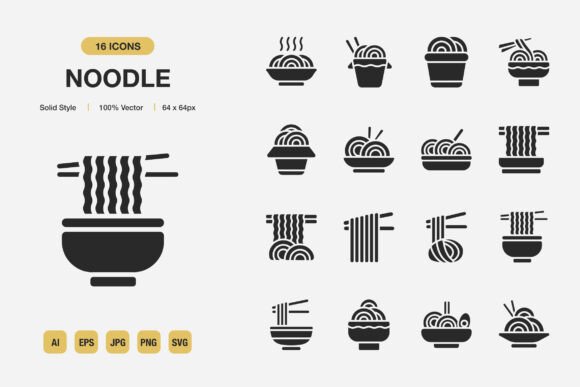
Noodle Solid Icons: Minimalist Design for Every Project
Imagine opening a design file and instantly knowing every icon will look cohesive, crisp, and unmistakably clear. That is exactly what the Noodle Solid Icons set delivers. It is a curated collection of solid-style icons built to simplify how you add visual meaning to digital interfaces, printed pages, and everything in between. Rather than blending into the background, these minimalist marks give your content a polished, professional presence without distracting from the message.
If you have ever spent hours trying to match icon styles across a presentation, app screen, or brochure, you already understand the frustration of mismatched line weights and inconsistent shapes. This set solves that problem by giving you a complete, unified system. All icons share the same solid construction, optical balance, and modern look. They feel like they belong together, which helps even a beginner create designs that appear thoughtfully handcrafted.
What Makes These Icons Stand Out?
The Noodle Solid Icons are not just another set of clip art. They follow a solid style, which means each symbol uses filled shapes without hairline outlines. This approach improves readability at small sizes and ensures the icons hold their own on busy layouts. On a mobile app button, a solid icon remains legible where a thin outline might get lost. On a poster or banner, the same icon feels bold and confident.
High quality is a promise the files keep. Every path is clean, every curve is smooth, and the overall construction avoids awkward angles or confusing negative space. When you zoom in, you do not see jagged edges or poorly joined points. This matters because you can use the icons at any size—from a website favicon to a large trade show display—and they remain sharp. The 100 customizable icons mean you start with a broad toolkit but never feel locked into a fixed look. You can adjust stroke thickness, swap colors, or even tweak individual shapes inside your favorite editor. Customization does not require advanced skills; a few clicks in Adobe Illustrator or any SVG-compatible app are often enough.
Another subtle strength is the easy drag and drop experience. Because the files are well-organized and provided in standard formats, you can drop an SVG or PNG directly onto your canvas and it behaves exactly as expected. There is no need to wrestle with awkward import settings or broken previews. The included Readme.txt walks you through the simple file structure, so even if you are new to working with icon bundles, you can start using them within minutes.
Projects That Benefit from a Minimalist Approach
Minimalist icon design does more than look trendy. It reduces cognitive load. A clean, simple icon communicates faster than a complex illustration. When you apply this idea to websites, mobile apps, books, social media, infographics, flyers, print materials, banners, and posters, the result is a user or reader who does not have to guess what a button means. The intended action becomes obvious.
Think about a recipe book where each step has a tiny solid icon next to it—a whisk, a timer, an oven. These symbols quietly guide the eye without shouting over the text. Or picture a non-profit flyer where clean icons represent donation, volunteering, and partnership. The message feels organized and trustworthy. Because the Noodle Solid Icons share a consistent visual weight, they create a rhythm across all pages or screens. This rhythm builds a subtle sense of reliability and brand steadiness, regardless of whether you are designing for yourself or a client.
Practical Ways to Use Noodle Solid Icons
You do not need a degree in graphic design to put these icons to work. They are made to be approachable. Let's walk through real-world scenarios where they can make an immediate difference.
For Websites and Mobile Apps
Navigation menus, tab bars, and action buttons all depend on icons that people understand instantly. In a mobile app, a solid home icon or a filled settings gear leaves no room for confusion on small screens. The solid style ensures even older displays or low-brightness settings do not wash out the symbol. You can also use them as favicons, loading states, or empty state illustrations. Because the icons come in SVG and PNG Transparency formats, scaling and layering over images or colored backgrounds is seamless.
For Print and Marketing
Flyers, banners, posters, and brochures thrive on visual hierarchy. A bullet list of features becomes far more scannable when you use a small solid icon next to each point. If you are creating an event banner, a microphone icon next to "Guest Speakers" or a gift box next to "Giveaways" adds personality without clutter. The JPG and EPS Version 10 files ensure compatibility with older print software, while the AI source file gives you full control over every vector curve. Whether you print on glossy cardstock or a simple office printer, the icons retain their crisp edges.
For Education and Publishing
Teachers, trainers, and self-published authors often need icons for worksheets, eBooks, and slide decks. A set like this turns a plain handout into something visually engaging. Use a lightbulb icon for key takeaways, a bookmark for reading assignments, or a star for bonus tips. The icons are also suitable for interactive lesson materials in learning management systems. Since the package includes an Adobe Illustrator source file, you can even re-color an entire icon set to match your school or brand palette in one go.
For Social Media and Content
Infographics, carousel posts, and quote graphics perform better when they include small visual cues. A series of solid icons placed beside statistics can boost shareability and comprehension. For example, an Instagram post about time management might use a clock, a checklist, and a calendar icon from the set. Because the icons are minimalist, they do not fight for attention against your headlines or photography. Instead, they reinforce the story you are already telling.
Understanding the File Package and Integration
One underrated advantage of this icon set is the thoughtful file structure. You receive a Source File Adobe Illustrator that contains all 100 icons in an editable format. If you need to change the overall style, adjust colors globally, or extract a single icon for a large-format project, this file is your master key. The EPS Version 10 file ensures broad compatibility with older design tools and legacy workflows, so you are not forced to upgrade your software just to open a file.
The SVG files are the modern backbone for web and app projects. They stay sharp at any resolution, load quickly, and can be styled with CSS. The PNG Transparency files are ready for instant use in presentation software, document editors, and social media templates. If you only need a quick icon for a slide, you simply drag the PNG into your window and it blends with any background. The JPG format offers a convenient fallback for environments that do not support transparency. And the Readme.txt is a thoughtful touch—it summarizes what each folder contains, so you spend zero time guessing.
This variety makes the Noodle Solid Icons highly flexible. You are not trapped inside a single ecosystem. A web developer, a PowerPoint user, and a professional book designer can all use the same purchase in ways that make sense for their daily tools.
Things to Keep in Mind Before You Start
While the set is beginner-friendly, a few considerations help you get the most out of it. First, think about color. Solid icons are more sensitive to color choices than outlined ones because the entire shape is filled. Pick a hue that offers enough contrast against your background. If your brand uses a very light pastel, you may need to slightly darken the icon color to maintain readability. Test the icons on both light and dark backgrounds if your project will appear in multiple contexts.
Second, respect the license that comes with the files. High-quality icon sets are often intended for use in projects you create, not for reselling as standalone icons. Always check the included documentation or reach out to the creator if you have doubts about commercial use. This ensures you stay on solid ethical and legal ground, especially if you are a freelancer or small business owner building client assets.
Third, while 100 icons cover a wide range of topics, you might eventually need a concept that is not included. Because the Source File Adobe Illustrator is part of the package, you can often adapt an existing icon into something similar. For instance, a magnifying glass could be modified into a zoom or search tool. This adaptability reduces the need to buy multiple separate packs and helps maintain visual consistency across your entire project.
Finally, remember that minimalist design relies on restraint. It can be tempting to sprinkle icons everywhere, but their power increases when you use them sparingly and purposefully. Let each icon earn its place by clarifying content or guiding an action. The solid style already makes a strong impression; a small handful of well-placed symbols often does more than a dozen scattered across a page.
Making the Switch to a Cleaner Visual Language
The way we process visual information is changing rapidly. Audiences are increasingly drawn to interfaces and printed materials that feel calm, organized, and purposeful. Adding Noodle Solid Icons to your project is not just a design upgrade—it is a strategic choice to communicate more clearly. Whether you are building a startup landing page, revamping a classroom workbook, or creating a personal brand kit, these icons give you a visual shorthand that works across languages and cultures.
What many users appreciate most is how the set quietly elevates their work without requiring an expert eye. An entrepreneur can drop a solid shopping cart icon onto a product flyer and suddenly the offering looks more legitimate. A blogger can use them to break up long articles, and a volunteer coordinator can give an event program a cohesive, caring feel. That is the hidden value: these icons make your ideas look more courageous and considered.
The mix of source, vector, raster, and transparent formats means you are future-proofing your assets. As your project grows or shifts platforms, you will not need to hunt for replacement graphics. The same simple shape that graces a printed brochure today can sit gracefully on a responsive website tomorrow.
If you have been looking for a way to give your next project a cohesive, modern, and thoughtful touch, exploring what solid, minimalist icon design can do is a wise move. The Noodle Solid Icons set combines ease of use with professional flexibility, making it suitable for both seasoned designers and those just starting to take visual communication seriously. The included Readme.txt and multi-format delivery remove guesswork, so you can spend more time creating and less time troubleshooting. Hope you like it—and once you see how quickly your work transforms, you likely will.