Green Planet Illustration Sets That Actually Work
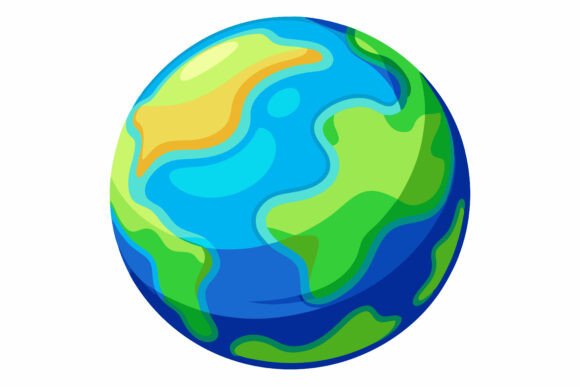
Finding the right illustration set can feel like digging through a pile of mismatched pieces. Most collections promise versatility but deliver rigid, over-styled graphics that fight against your layout instead of blending into it. The Green Planet AI EPS collection takes a different approach. It's built around a cohesive nature-inspired theme that adapts to projects rather than demanding the project adapt to it. If you've ever spent an hour tweaking a vector only to realize the base structure wasn't designed for customization, you'll understand why the foundation matters.
What makes this particular collection stand out isn't some flashy gimmick. It's the thoughtful construction underneath. Each illustration arrives as a fully layered AI EPS file with companion JPG previews, giving you immediate flexibility whether you're working in Illustrator on a Mac, firing up CorelDRAW on Windows, or just need a quick raster reference for a comp. The cross-platform compatibility means no awkward file conversions or missing elements when moving between systems—something freelancers and agencies collaborating across different setups will appreciate immediately.
Why File Organization Changes Everything
Let's talk about something designers rarely discuss until it's too late: file structure. Opening a vector set and finding everything dumped into a single layer with generic names like "Path 847" is a special kind of frustration. The Green Planet collection sidesteps this entirely with a neatly organized layer hierarchy that actually makes sense. Objects are grouped logically, layers carry descriptive names, and you can locate specific elements without playing hide-and-seek through hundreds of unnamed paths.
This might sound minor until you're working against a deadline and need to isolate just the foliage elements across twelve different illustrations. Organized files aren't a luxury—they're a productivity multiplier. When you can jump directly to the canopy layer, tweak the gradient, and move on, those saved minutes accumulate into hours across a project's lifespan. Seasoned designers know that file hygiene reflects the creator's attention to detail, and this collection demonstrates an understanding of how professionals actually work.
The consistency across illustrations deserves mention too. Each piece in the set maintains a uniform visual language—consistent stroke weights, harmonious color palettes, and balanced proportions. This means you can combine multiple illustrations from the collection without them looking like they came from different sources. For brand work, editorial layouts, or multi-page documents where visual cohesion matters, this internal consistency is practically invaluable.
Where Green Planet Illustrations Shine
The obvious applications are environmental campaigns, sustainability reports, and eco-focused branding. But limiting the Green Planet collection to just green-themed projects undersells its versatility. The botanical elements, organic shapes, and nature-inspired motifs work surprisingly well in unexpected contexts—wellness apps, educational materials, lifestyle blogs, and even corporate presentations where you want to soften technical content with approachable visuals.
Print Applications That Demand Precision
When illustrations head to print, every imperfection gets magnified. Vector formats handle this beautifully at any scale, but the real test is whether the artwork holds up under scrutiny. The detail work in these illustrations—the careful node placement, smooth curves, and intentional negative space—means they reproduce cleanly whether printed at business card size or stretched across a trade show banner. The included JPG files serve as convenient previews, but the AI and EPS formats are where the real print-ready quality lives.
Magazine art directors and layout designers will find the illustrations slot naturally into editorial spreads without requiring excessive isolation work. Because the files are structured with editing in mind, pulling individual elements for spot illustrations or creating partial crops that still read clearly becomes a straightforward process rather than a reconstruction project.
Digital Interfaces and App Design
App designers and UI specialists often struggle with illustration sets that weren't built for screen contexts. The Green Planet collection translates well to digital environments because the illustrations maintain clarity at smaller sizes—a crucial factor for mobile interfaces, navigation icons, and onboarding screens. You can reduce complex scenes to simplified versions without losing their essence, which is exactly what you need when designing for varying screen densities.
Consider an educational app teaching children about ecosystems. Using these illustrations, you could pull consistent iconography for different biomes, create badge systems for completed lessons, and build illustrated backgrounds that don't overwhelm the interactive elements. The ability to modify colors means adapting the palette to match your app's theme takes minutes rather than requiring a complete recolor from scratch. That's the kind of practical flexibility that ships products faster.
Infographics and Data Visualization
Numbers need context, and context often needs visuals. The Green Planet illustrations provide a ready-made visual vocabulary for infographics dealing with environmental data, climate statistics, agricultural trends, or any information set that benefits from nature-inspired imagery. Rather than hunting for disparate icons that sort-of match, you have a unified system where tree illustrations, leaf symbols, and organic shapes all speak the same design language.
For annual sustainability reports or corporate social responsibility documents, consistent illustration work elevates the perceived quality of the entire publication. When stakeholders see polished, cohesive visuals supporting the data, the information feels more credible. It's a subtle psychological effect, but one that experienced communicators leverage deliberately.
Editing Without the Headache
Claiming an illustration set is "editable" has become almost meaningless—technically anything can be edited if you're willing to suffer enough. What matters is whether the editing process respects your time. These files are genuinely built for modification. Color changes don't require hunting through grouped objects and nested clipping masks. You can adjust hues across entire illustration families with a few clicks because the color structure was designed with customization in mind from the start.
Want to shift the entire Green Planet aesthetic from forest greens to desert warm tones for a different project? Possible in under ten minutes. Need to extract just the leaf motifs to create a pattern for packaging design? The organized layer structure makes isolating those elements straightforward. This adaptability extends the collection's lifespan across multiple projects and clients, making it a resource you return to rather than a one-off purchase that gathers digital dust.
The modification capabilities also mean you can tailor illustrations to different brand guidelines without starting from scratch. A marketing team working with strict brand colors can adapt the entire set to their palette while maintaining the illustration quality. Freelancers serving multiple clients can reuse the same foundational assets while customizing the output enough that each client receives something distinctive.
Practical Use Cases Across Industries
An independent publisher creating children's books about nature can use these illustrations for chapter headings, spot art, and cover elements—all while maintaining visual consistency across the entire book series. A small business owner building an organic skincare brand might pull elements for product labels, website headers, and social media templates, creating a cohesive brand presence without commissioning custom illustrations for every touchpoint.
Educators developing classroom materials find ready-made visual aids for biology units, environmental science modules, or geography presentations. The crisp vector quality means worksheets and handouts print clearly even on standard classroom printers. Bloggers covering sustainable living, gardening, or outdoor topics can break up text-heavy posts with illustrations that feel professional rather than obviously stock.
Corporate training departments building e-learning modules about sustainability initiatives can incorporate these illustrations into slide decks, interactive exercises, and completion certificates without worrying about licensing complications or inconsistent art styles. The cross-platform compatibility means PowerPoint users on Windows and Keynote users on Mac can both work with the files directly.
What to Consider Before Purchasing
Think about your primary use case before diving in. Will you mostly work in Illustrator, or do you need broad compatibility with various vector editing tools? The AI EPS format covers most professional workflows, but if you exclusively use raster-based software, you'll primarily rely on the JPG versions—which limits the scalability benefits. Consider whether you need illustrations that integrate with existing brand assets or standalone pieces that define their own visual space.
Also evaluate your editing comfort level. While these files are organized for easy modification, getting the most value from vector illustrations requires basic familiarity with vector editing software. If you're comfortable with the pen tool, layers, and color adjustments, you'll unlock the full potential of the collection. If vector editing feels intimidating, start with simple color modifications and gradually explore more complex customizations as your confidence grows.
The Green Planet collection works best for people who need consistent, nature-themed illustrations across multiple projects and platforms. If that describes your situation, the organized structure, cross-platform compatibility, and genuine editability make this set worth serious consideration. Start with a small project to familiarize yourself with the file structure, then expand usage as you discover how the illustrations fit into your workflow. The collection rewards exploration—dig into the layers, experiment with color variations, and you'll likely find applications beyond your initial purchase intent.